The Definitive Guide to Rocscience’s Geotechnical Software Integrations
How do integrations help you with your geotechnical analysis?
Civil and mining engineers have always relied on innovative geotechnical solutions for their complex analyses. Using multiple programs can help provide the comprehensive insight needed, however, this often creates the need to switch between programs and manually transfer data. This is where integrations come into the spotlight.
Since the onset of Rocscience’s journey, our focus has been creating innovative tools that are reliable, easy to use, and help you be more efficient. We understand the day-to-day challenges you face using multiple programs. Because of this, developing integrations between our programs that allow them to communicate with one another has been a major driving force behind creating a more collaborative and efficient workflow.
By utilizing the integrations throughout our product line, you can easily transfer information between programs, get a more in-depth understanding of your material behavior and properties, and perform analyses in two and three dimensions more efficiently.
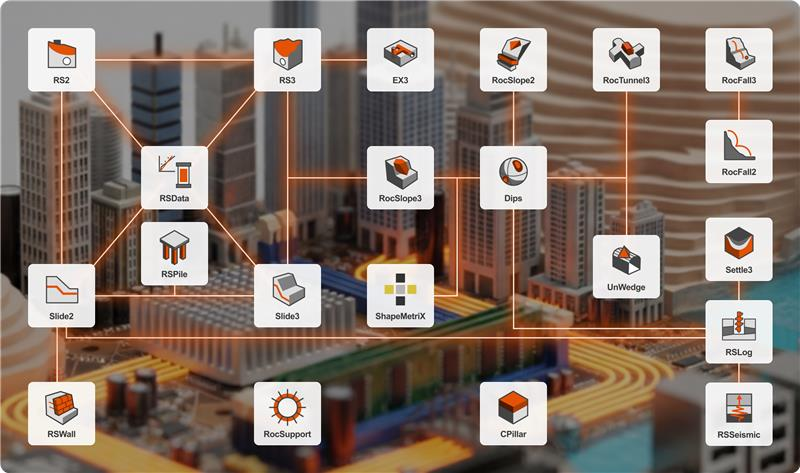
Rocscience Program Integrations
Slide2 & Slide3
Integration between these two industry-leading limit equilibrium tools has led the way for performing advanced 2D and 3D analyses of all types of soil and rock slopes, embankments, earth dams, retaining walls, and more.
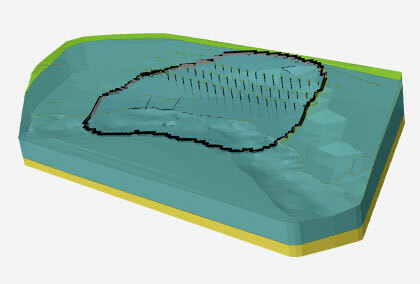
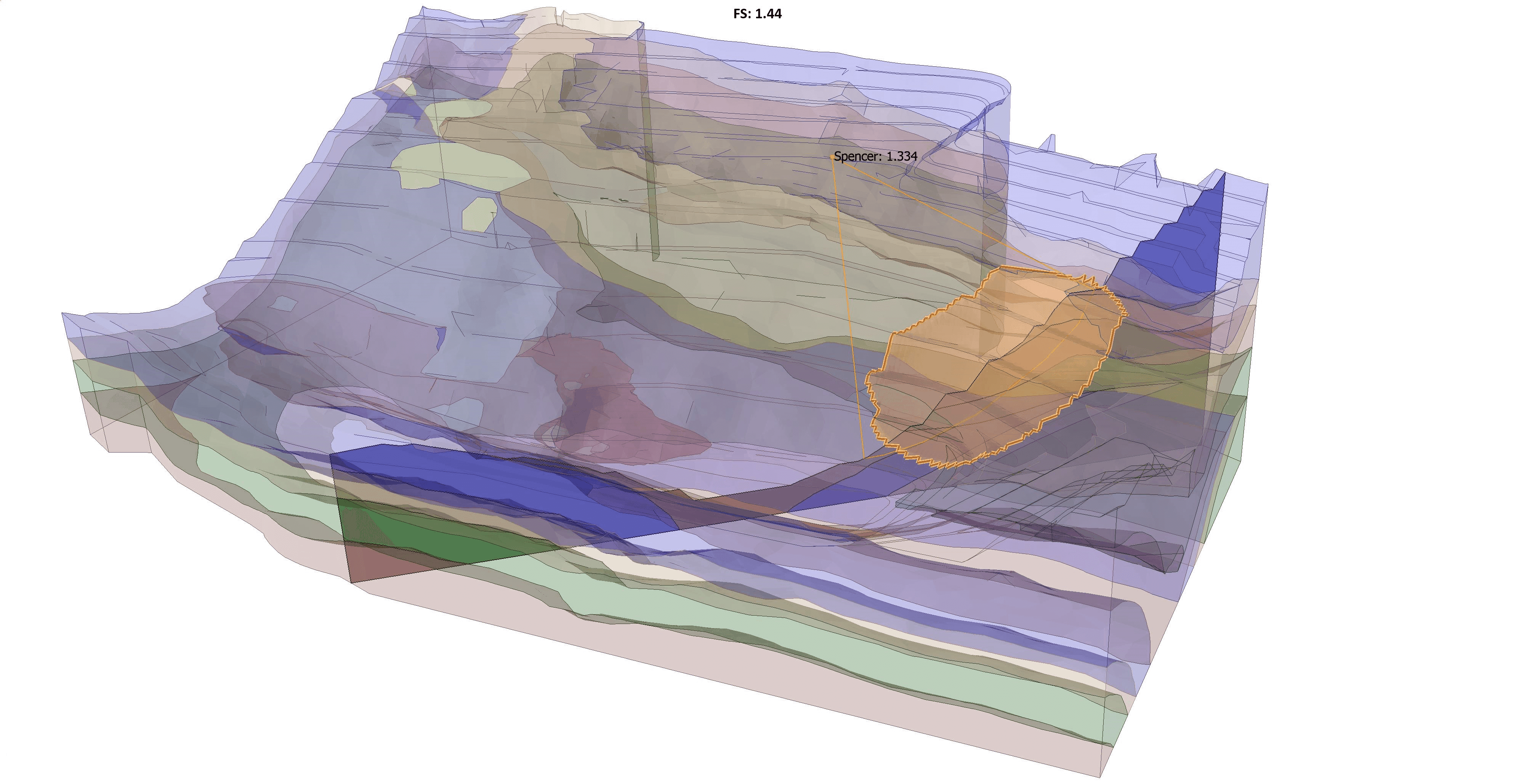
Import and run your Slide2 model into Slide3, extrude it and analyze the 3D effects. As an alternative, you can easily create 2D sections within your Slide3 model and compute them with the Slide2 engine. View the Slide2 and Slide3 results on the same model for seamless comparison.
Key Advantage
Taking advantage of this integration, you can get a more in-depth analysis of your models and compare the results of your 2D and 3D analyses faster than ever.
Slide2 & RS2
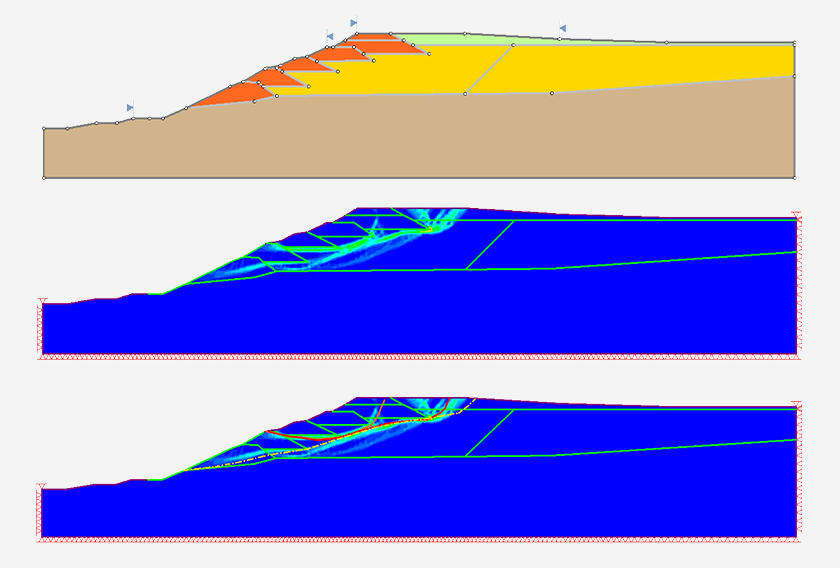
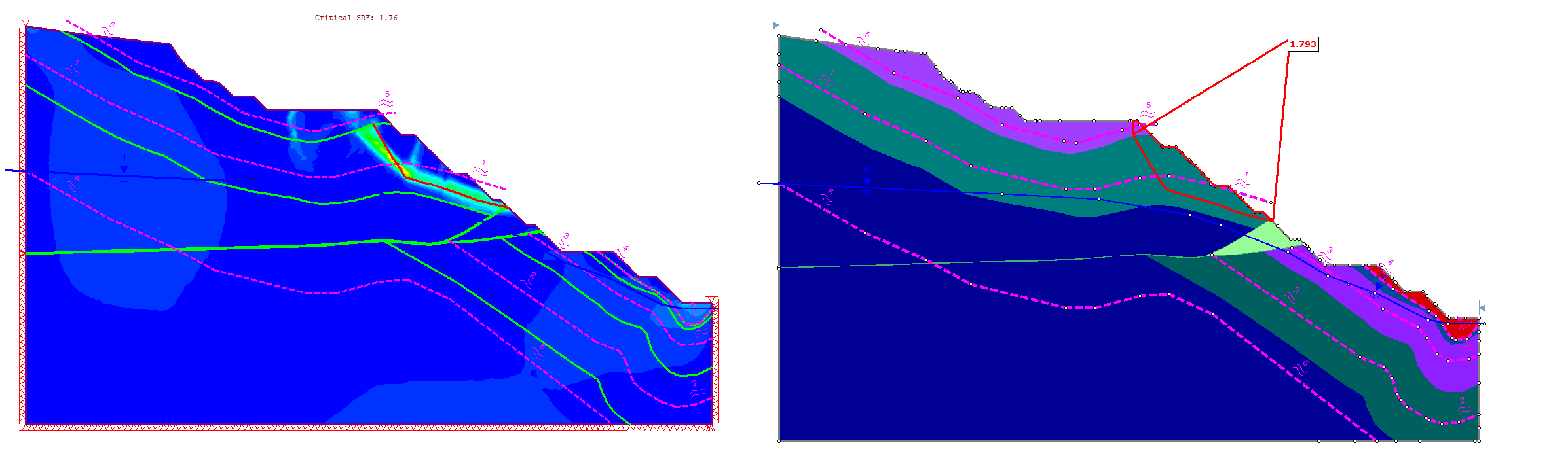
Using Slide2 with RS2 provides a powerful verification process. With a shared material library and the ability to seamlessly transition your 2D models between programs, you can save time running your analyses and directly compare your Limit Equilibrium (LE) and Finite Element (FE) results.
Key Advantage
By comparing results side by side, you can verify the simulations against each other and ensure the accuracy of your analysis results.
Slide2 & RSPile
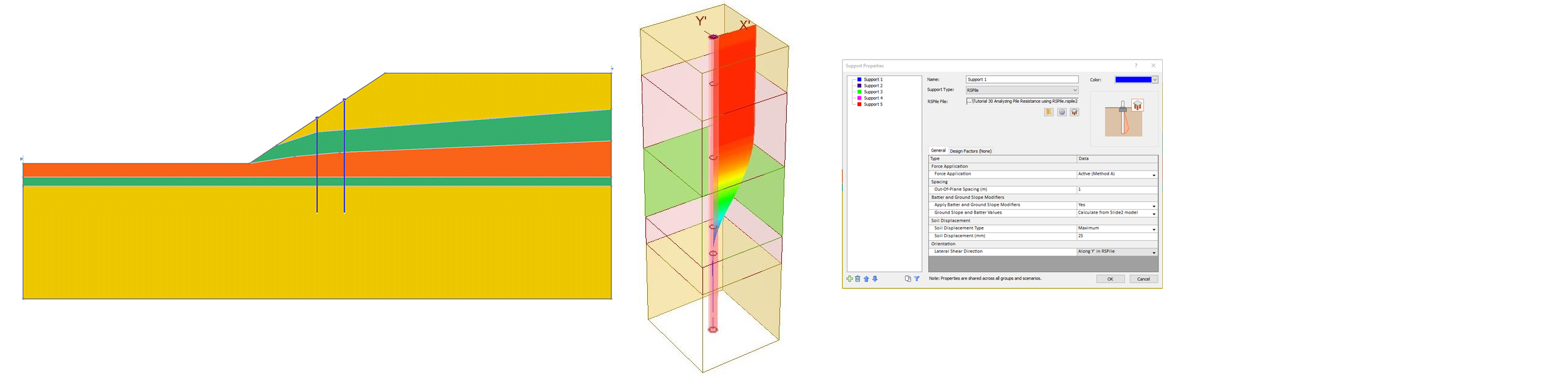
Importing your RSPile file into Slide2 provides more comprehensive support capabilities for your slope stability analyses, making the whole process of integrating piles more efficient. Moreover, you have full flexibility to model various pile designs in RSPile and analyze their responses under various loads before using them in your Slide2 models.
Key Advantage
Benefit from the valuable insights of your piles created in RSPile in your Slide2 analyses.
Slide2 & RSLog
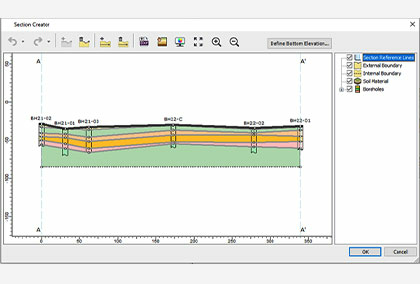
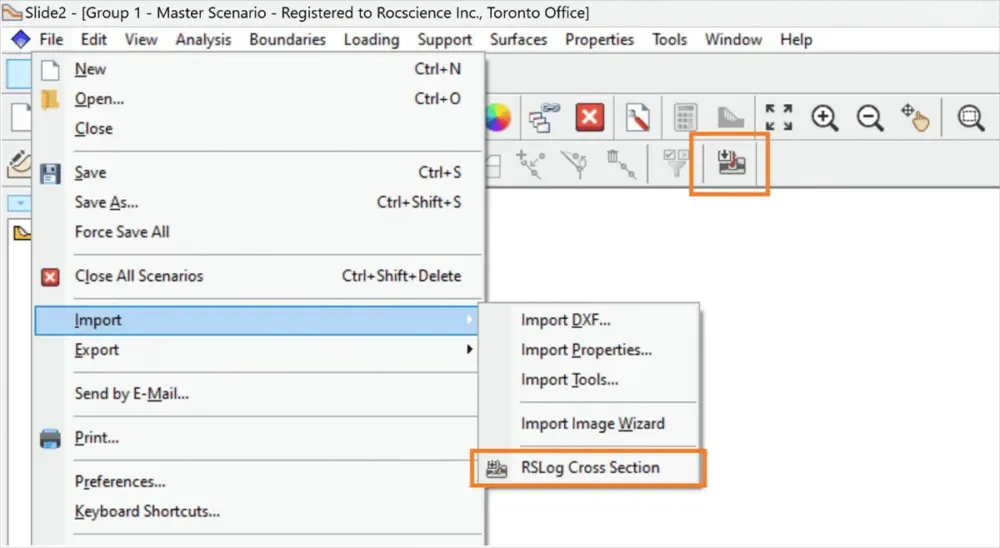
RSLog integrates with Slide2 to import cross-sections created from borehole data directly into slope stability models. Cross-sections designed in RSLog can be transferred into Slide2 as soil profiles or geometry, including material region names, colours, and piezometric lines. You can import these sections either by connecting to their RSLog account or by importing an exported Rocscience Section (JSON) file.
Key Advantage
Move directly from borehole logging and cross-section design to slope stability analysis, eliminating manual reconstruction of soil profiles while preserving the geological structure defined in RSLog.
Slide2 & RSWall
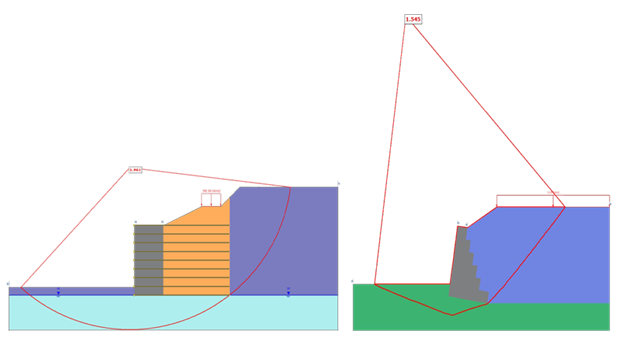
RSWall integrates with Slide2 to support slope stability analysis involving retaining structures. Retaining wall systems designed in RSWall can be transferred to Slide2 models to check overall stability of the model. This integration allows engineers to evaluate the interaction between retaining structures and surrounding soil slopes within the same geotechnical model. For further refinement, the Slide2 model can be transferred back to RSWall to incorporate tension map analysis, improving accuracy in reinforcement layout and overall structural response.
Key Advantage
Design retaining walls and verify their performance within slope stability models. By transferring wall systems from RSWall into Slide2, engineers can evaluate global slope stability while accounting for structural support elements without rebuilding the model.
RSData - Slide2, Slide3, RS2, RS3
RSData streamlines your workflow by integrating with some of the major Rocscience programs: Slide2, Slide3, RS2, and RS3. Seamlessly import your material strength properties directly from RSData into these 2D or 3D programs for numerical analysis. This way you’re able to save time and avoid manual data entry.
Key Advantage
Understanding and calibrating material properties is the key to performing a successful analysis. This integration gets you to your results faster.
Slide3 & RS3
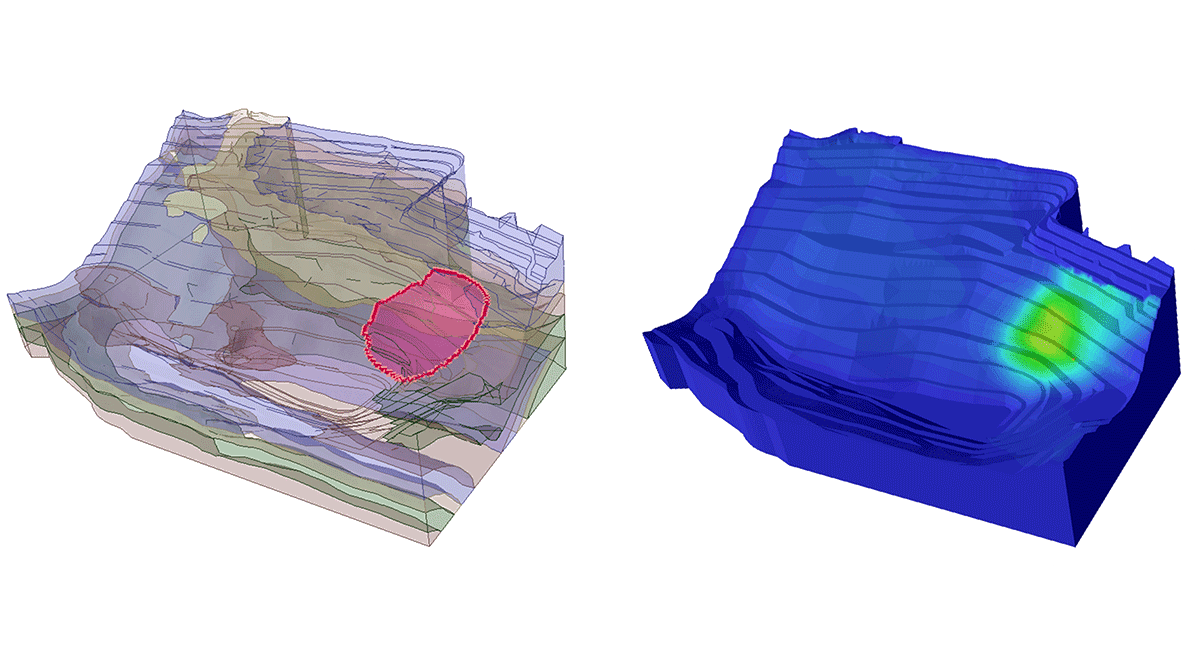
Built on similar 3D geometry frameworks, Slide3 models can be used to create RS3 models for more advanced numerical analysis. Further, these programs can compare Limit Equilibrium and Finite Element results.
Key Advantage
The Slide3 and RS3 integration allows you to not only perform the most in-depth slope stability analysis but makes it convenient for you to compare Slide3 and RS3 results for verification of failure mechanism and accuracy of factor of safety.
Slide3 & RSPile
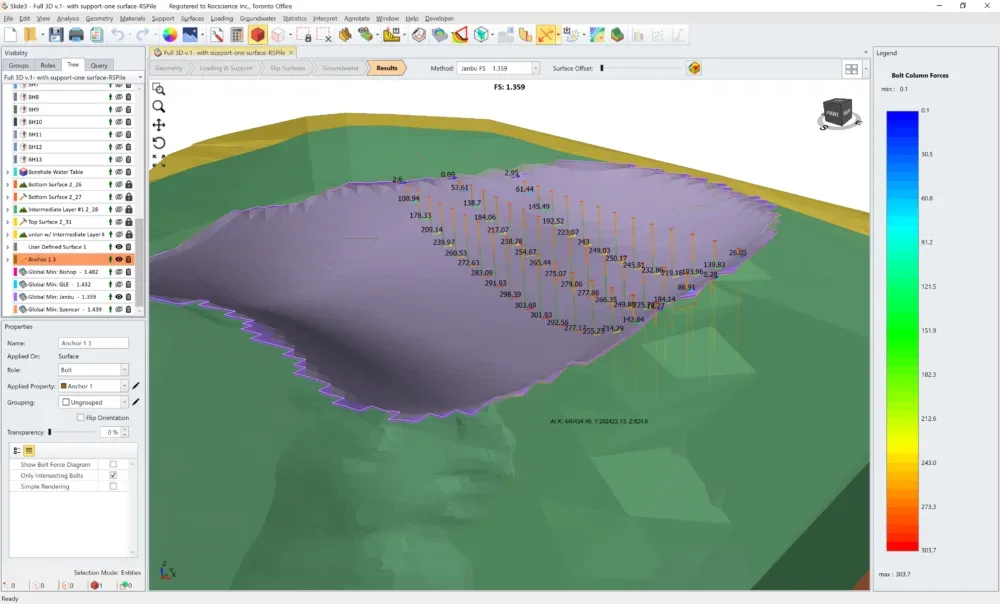
The powerful integration between Slide3 and RSPile has streamlined incorporating piles from RSPile into your Slide3 analyses. This one-of-a-kind integration allows you to use piles created in RSPile and then add them into Slide3 as a Support Type. Perform pre-analysis of the piles, straight from the Slide3 interface.
Key Advantage
The integration between Slide3 and RSPile allows you to take full advantage of enhanced support capabilities when using piles.
RS2 & RS3
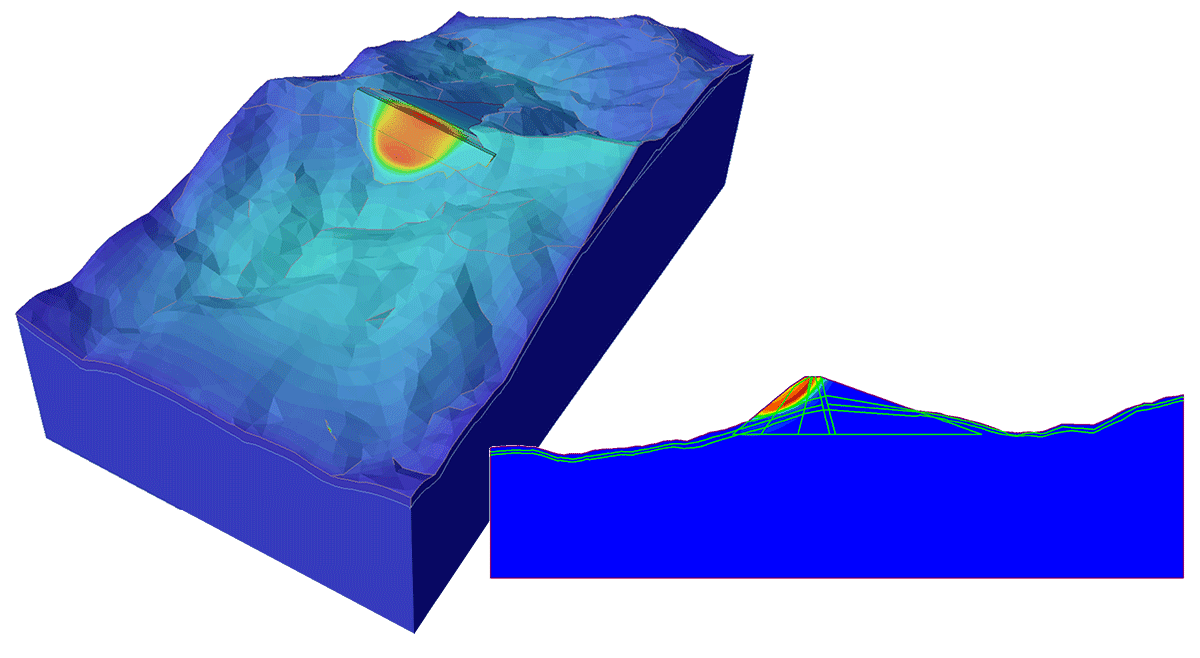
Integration between RS2 and RS3 helps optimize your time by providing an easy transition between 2D and 3D finite element analysis. Import your RS2 models directly into RS3 for more in-depth 3D analysis. Use the Section Creator tool to export a cut of your 3D model to quickly analyze critical sections in RS2.
Key Advantage
Achieve easy transition between 2D and 3D models and get the best results for your Finite Element analysis.
EX3 & RS3
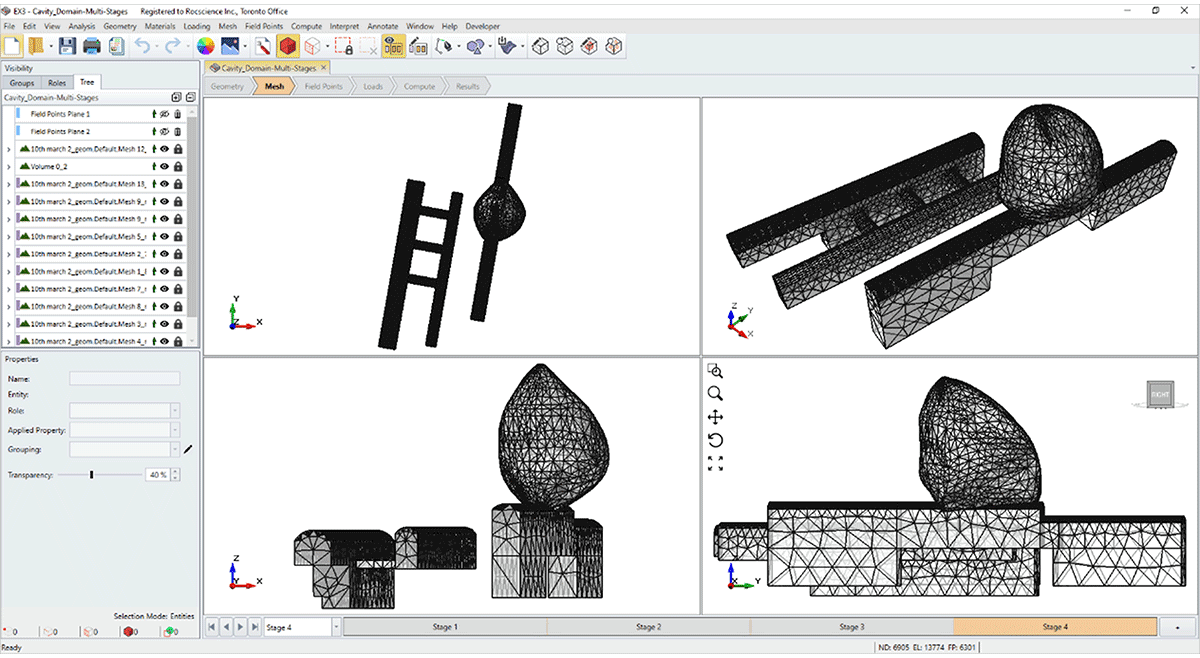
EX3 provides a quick analysis of underground mining and tunnel excavations. For projects that need more in-depth analysis, you can import your EX3 models directly into RS3, convert your geometry, assign materials, field stress, and regions of interest for a hassle-free computation.
Key Advantage
For complex underground excavations, the EX3 and RS3 integration will streamline your analysis and provide you with detailed insights into your projects.
Settle3 & RSLog
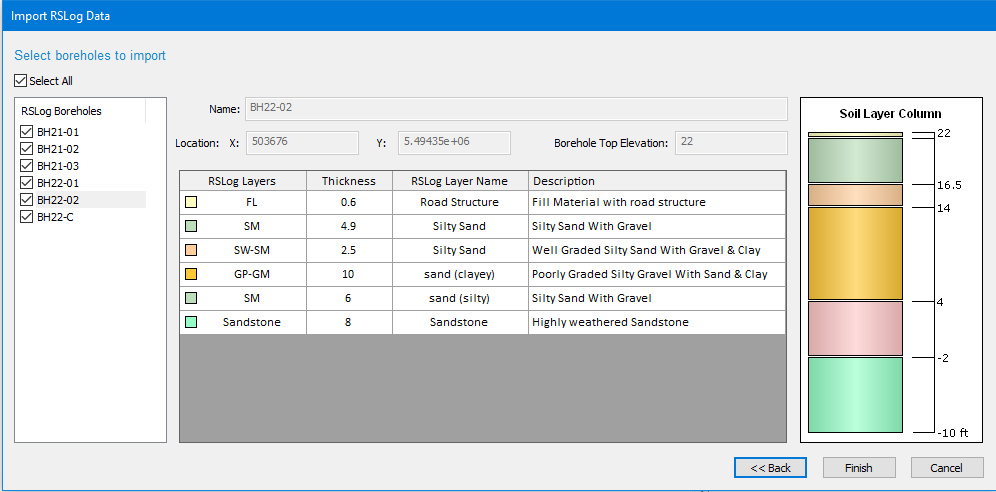
The integration between Settle3 and Rocscience’s brand-new web-based borehole management application RSLog allows you to avoid the manual process of borehole data entry.
Easily import your borehole log data into Settle3 through an intuitive import wizard so you can get to your settlement analysis faster.
Key Advantage
This integration will not only save you time spent on manual data entry but also ensure that the transferred data is error-free.
RSSeismic & RSLog
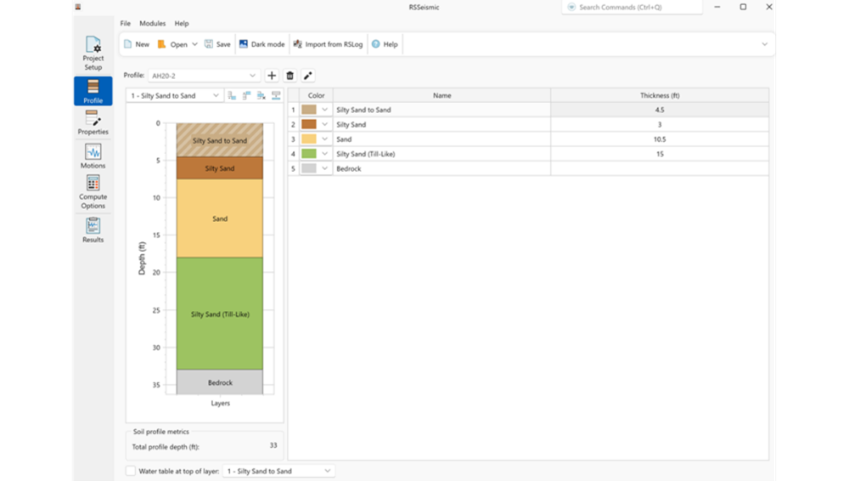
RSSeismic allows users to import borehole test hole data directly from RSLog to generate soil profiles used in site response analysis. The import process transfers geotechnical parameters such as layer thickness, unit weight, shear wave velocity, plasticity index, shear strength, and water table information from RSLog into RSSeismic soil profile models.
Key Advantage:
Directly import borehole and soil profile data from RSLog into RSSeismic, reducing manual data entry and improving consistency between subsurface investigation data and seismic site response models.
DIPS & RocSlope2
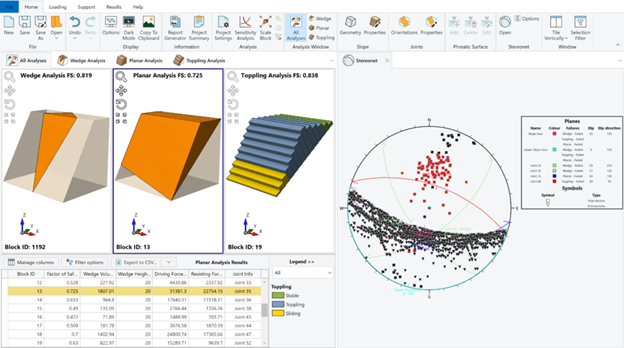
You can now directly import the joint orientation data analyzed in DIPS, into RocSlope2. Export stereonet-based datasets such as joint sets, individual planes, or statistical orientation data from DIPS and load them into the RocSlope2 joint orientation input dialog for use in planar, wedge, and toppling stability analysis.
Key Advantage
Transition quickly from stereonet analysis to rock slope stability modelling. By importing joint orientation datasets directly from DIPS, you can evaluate multiple failure modes in RocSlope2 without manually re-entering structural data.
DIPS & RocTunnel3
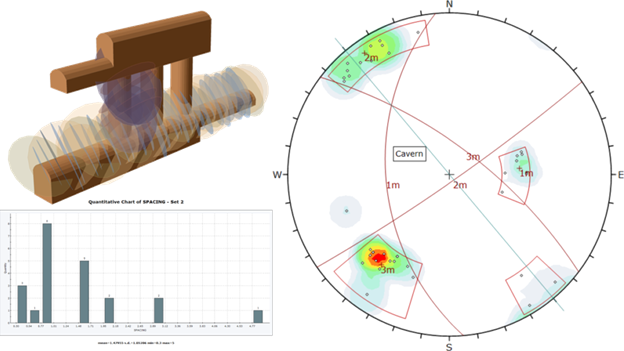
DIPS integrates directly with RocTunnel3 for 3D underground block stability analysis. You can now seamlessly export joint location and orientation data, including set statistics, from DIPS to RocTunnel3. For mapped joints, export the orientation and location of each defect. When boreholes or scanlines are available, analyze joint set statistics in DIPS, then import the mean dip, dip direction, and Fisher K to define synthetic joint sets in RocTunnel3.
Key Advantage
By importing orientation data and set statistics directly from DIPS, engineers can evaluate all structurally controlled failure modes in RocTunnel3 without manual data re-entry, ensuring consistency between kinematic assumptions and 3D limit equilibrium block stability assessment.
DIPS & RSLog
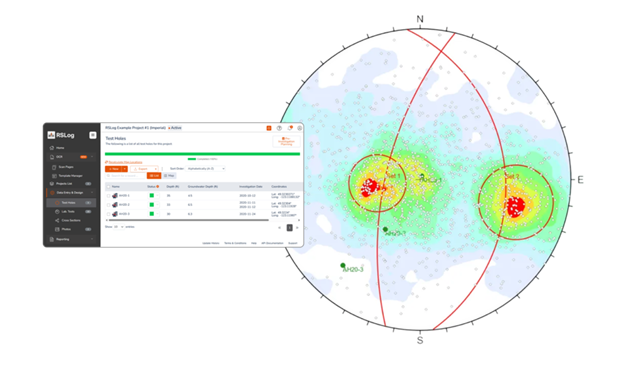
RSLog integrates with DIPS to import borehole discontinuity data for structural analysis. Orientation measurements logged in RSLog can be transferred into DIPS, where they are visualized on stereonets for joint set identification, clustering, and kinematic assessment.
Key Advantage
Move seamlessly from borehole structural logging to stereonet analysis, eliminating manual transcription and enabling faster evaluation of discontinuity-controlled failure mechanisms.
DIPS & ShapeMetriX
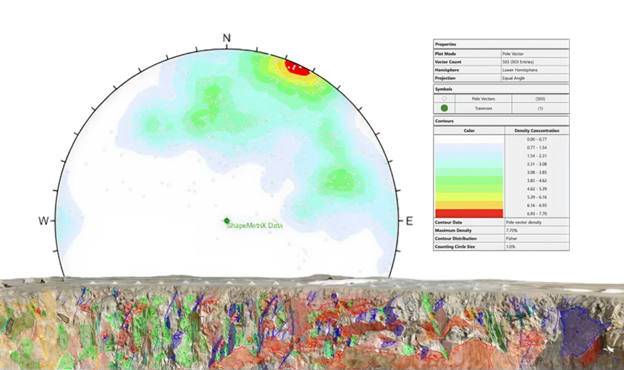
ShapeMetriX structural mapping files (.3gdps) containing joint orientation, persistence, and location information can be transferred directly into DIPS. These files allow structural data collected in the field through photogrammetry-based mapping to be appended to existing stereonet datasets within a DIPS project.
Key Advantage
Combine high-resolution field mapping data with stereonet analysis. Engineers can import structural measurements collected in ShapeMetriX and immediately perform statistical orientation analysis and kinematic assessments in DIPS.
DIPS & UnWedge
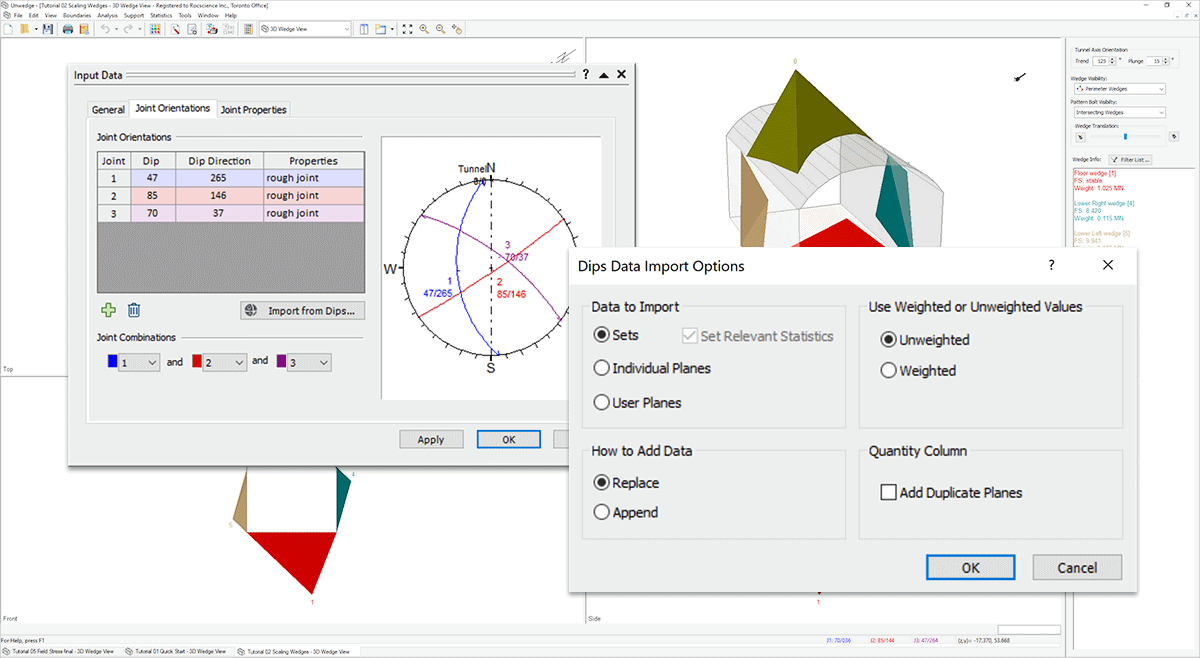
The integration between these two programs allows you to import orientation data and set statistics from DIPS into UnWedge for Deterministic, or Probabilistic Analysis. Directly import Fisher K set statistics into UnWedge for sampling Dip/Dip Direction of joints in a Probabilistic Analysis.
By transferring and assigning statistical distributions to your orientation data from DIPS to UnWedge, obtain the probability of failure for your rock models faster. Model variability in joint orientation and strength, water pressure, field stress, and supports.
Key Advantage
Save time with your underground tunnel excavation stability analyses with this integration. Instantly import joint orientations and set statistics for a variety of analysis types.
DIPS & RocSlope3
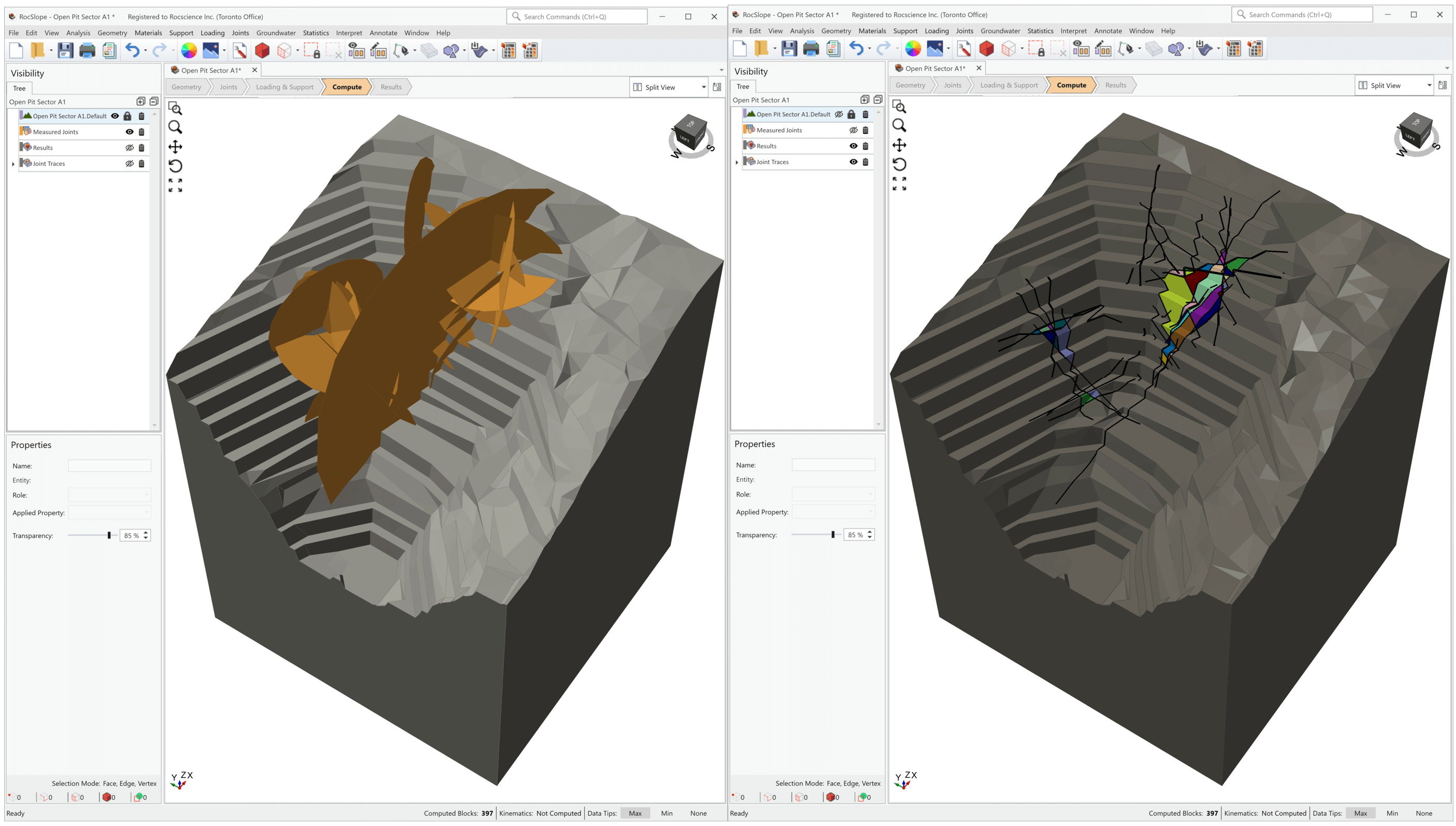
This integration is designed to streamline your geotechnical analysis process and provide you with a comprehensive solution for structurally-controlled slope stability assessment and risk management. The DIPS integration with RocSlope3 offers enhanced workflow efficiency to easily import geological structural data directly from DIPS to RocSlope3 to build your model.
Key Advantage
Move directly from stereonet-based structural analysis to 3D block stability modelling, ensuring joint statistics derived in DIPS are applied consistently in RocSlope3 without manual re-definition of discontinuity sets.
RocSlope3 & SWedge
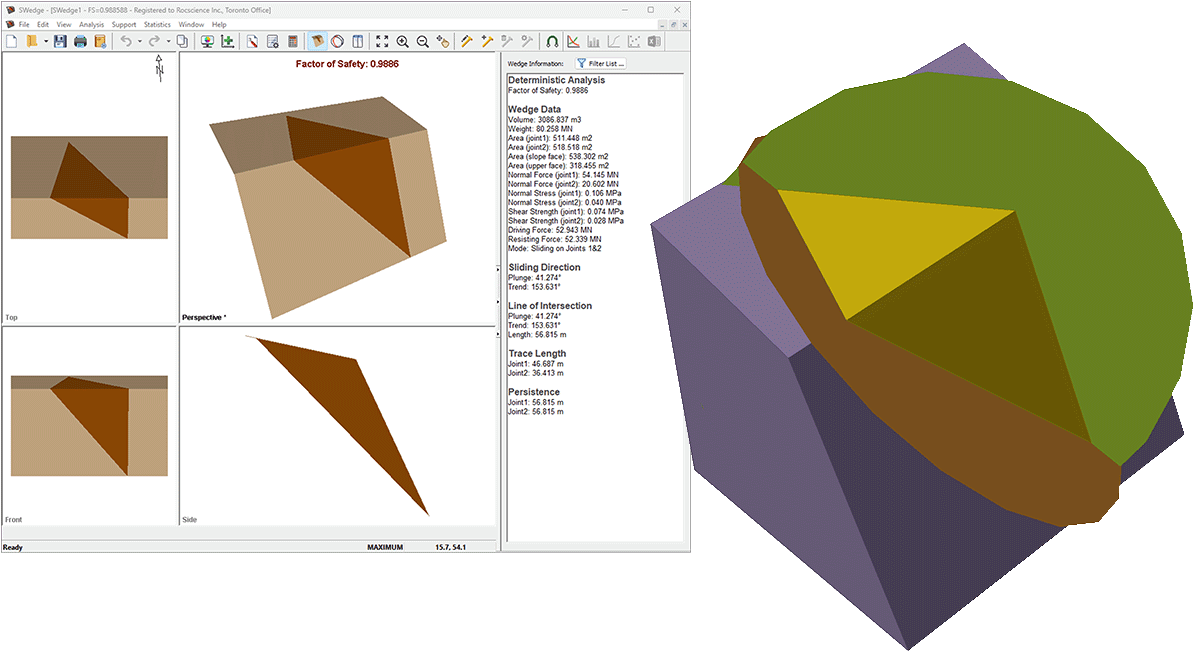
With this integration, you can import geometry, properties, and joints from your SWedge model to full define the model. These programs work well in tandem as SWedge provides the speed of analyzing individual wedges while RocSlope3 gives you a comprehensive look at global stability of structurally-controlled failures.
RocSlope3 and ShapeMetriX
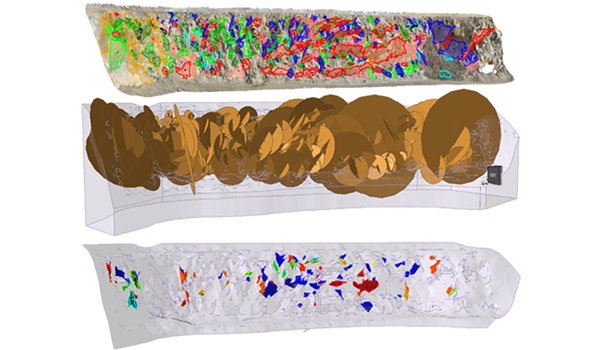
RocSlope3 integrates directly with ShapeMetriX, enabling engineers to quickly go from field data to 3D block stability assessment. Slope geometry and measured joint data can be imported directly from ShapeMetriX using its native .3grs (geometry) and .3gdps (mapped joint data) file formats, bringing in joint orientation, location, and persistence data without manual re-entry.
This creates a seamless field-to-analysis workflow: capture imagery in the field, generate a 3D model and map structural features in ShapeMetriX, and import the results directly into RocSlope3 to assess potential block stability and failure mechanisms.
Key Advantage
This integration enables engineers to capture realistic 3D slope geometries and discrete joint properties from UAV imagery or LiDAR data, then immediately assess block stability and identify failure zones with precise spatial location information.
RocSlope3 and Slide3, RS3
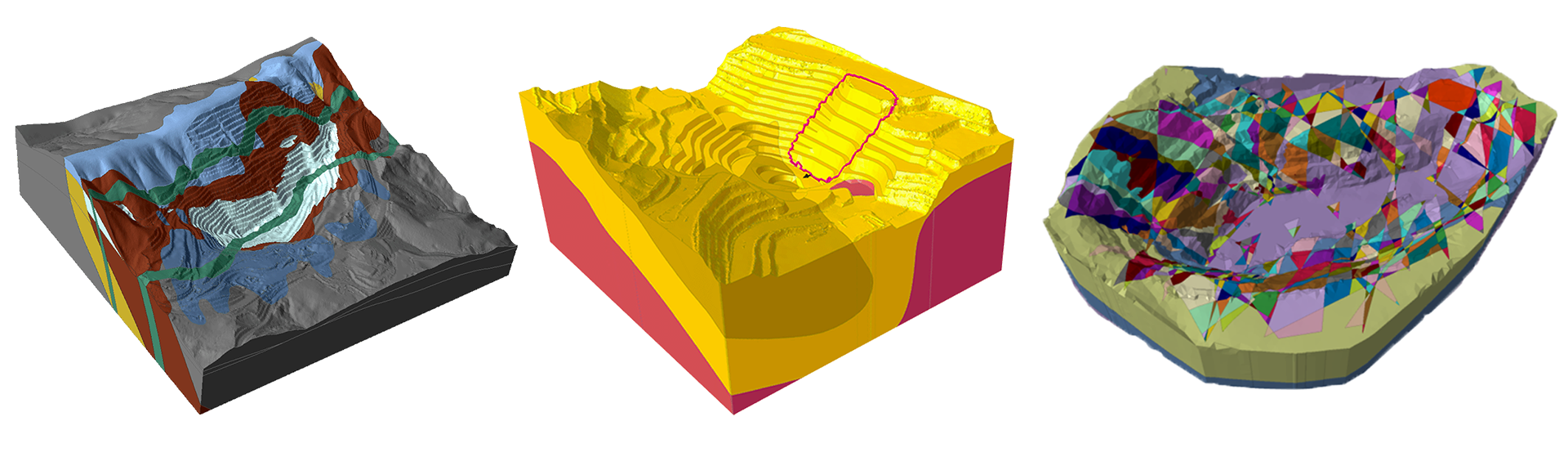
Models created in Slide3 or RS3 can be imported into RocSlope3 to reuse slope geometry and key model data. This allows engineers to transfer existing 3D slope models and continue analysis in RocSlope3 by defining discontinuities and performing structurally controlled block stability assessments.
Key Advantage
Move directly from continuum-based slope modelling to structurally controlled block stability analysis without rebuilding the 3D model geometry, enabling faster evaluation of potential rock block failures.
RocFall2 & RocFall3
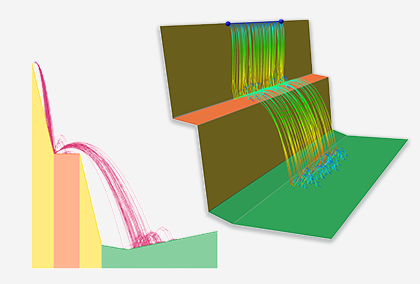
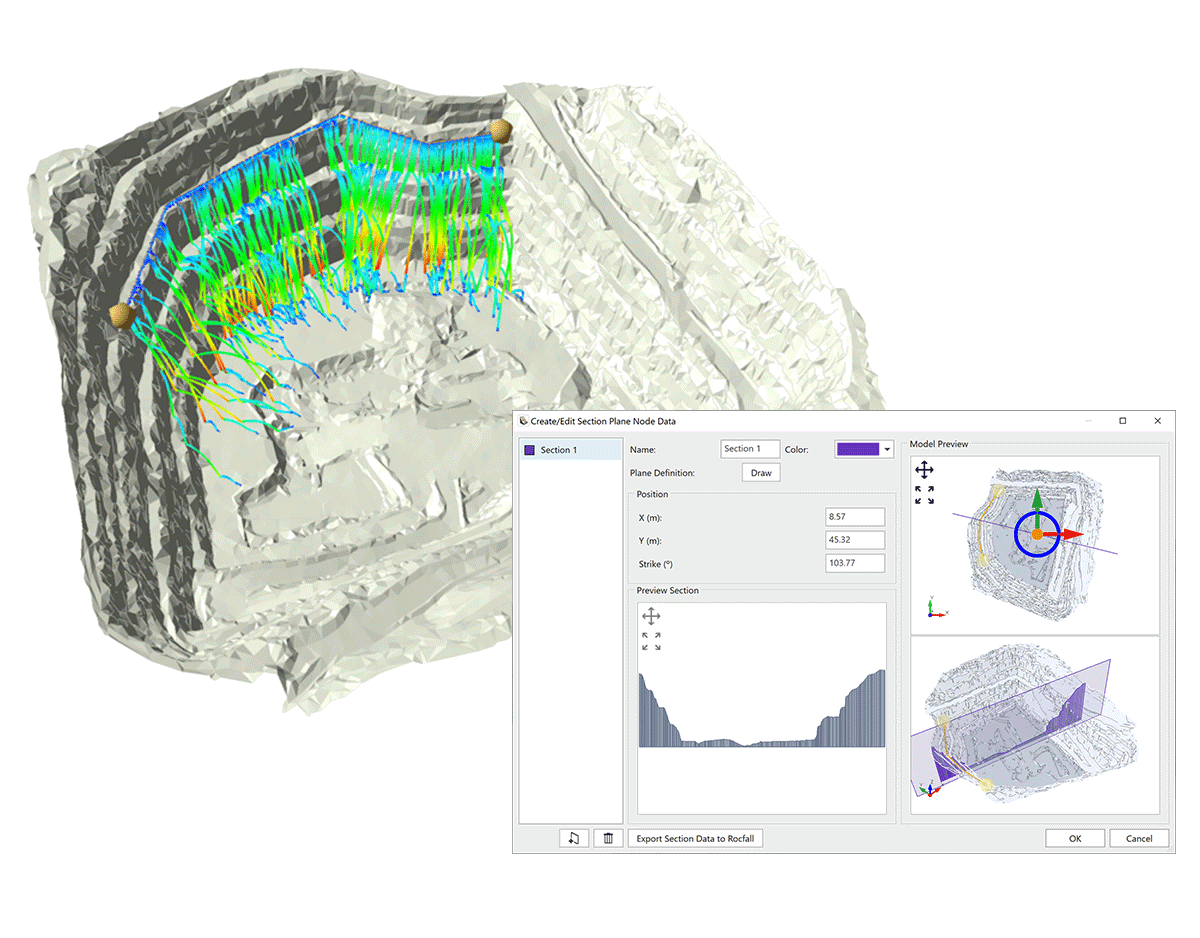
The powerful 2D statistical program RocFall2 now integrating with its 3D counterpart RocFall3 brings more advanced capabilities to you. This state-of-the-art integration allows you to import models with extruded 2D geometry from RocFall2 into RocFall3 and easily create a 3D model. You can also define a 2D section within a full 3D model in RocFall3 and export it to RocFall2 with predefined materials and parameters to seamlessly run a 2D analysis.
Key Advantage
Taking advantage of this integration, you can easily compare the results between 2D and 3D analyses, allowing more flexibility and ease in the verification of your rock fall analyses.
UnWedge & RocTunnel3
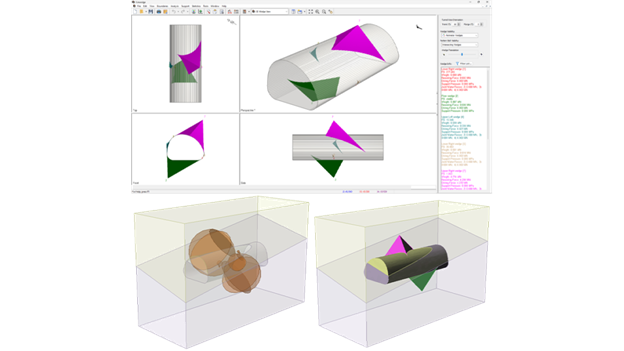
UnWedge and RocTunnel3 enable a complementary workflow for progressively detailed underground excavation stability analysis. UnWedge provides rapid deterministic or probabilistic evaluation of wedge failures assuming ubiquitous jointing, while RocTunnel3 extends this analysis to comprehensive 3D block stability assessment using discrete, explicitly located joints. Engineers can export UnWedge models directly to RocTunnel3 for detailed 3D hazard assessment with explicit excavation staging and support design.
Key Advantage
Extend UnWedge analyses to comprehensive 3D hazard assessment by combining multiple tunnel sections into a realistic 3D model with discrete joint locations and staged excavation sequences, enabling more detailed risk mapping than 2D ubiquitous joint methods.
Bringing Your Geotechnical Workflow Together
Geotechnical analysis rarely happens in isolation. Field data, structural measurements, material characterization, and numerical modelling are often performed using different tools, each addressing a specific part of the engineering workflow. When these steps require manual data transfer, the process becomes slower and more prone to errors.
Rocscience integrations are designed to remove these barriers by allowing data to move seamlessly between programs. From importing borehole logs and structural measurements to transitioning between 2D and 3D analysis or comparing limit equilibrium and finite element results, this suite of programs helps engineers focus on interpretation and decision-making rather than data preparation.
By combining tools across the Rocscience ecosystem, engineers can build more complete models, validate results using multiple analysis approaches, and move from field observations to advanced stability assessments with greater efficiency.
As the Rocscience platform continues to evolve, integrations will remain a key part of enabling faster workflows, deeper insight into ground behaviour, and more confident geotechnical design.
In an industry where time and money are important considerations, connecting Rocscience’s versatile can enhance your productivity, reduce project delivery time, and simplify your workflow.